Force HTTPS
Forcing HTTPS for your domain and subdomains
- Go to the SSL/HTTPS section.
- Go to the Force HTTPS tab.
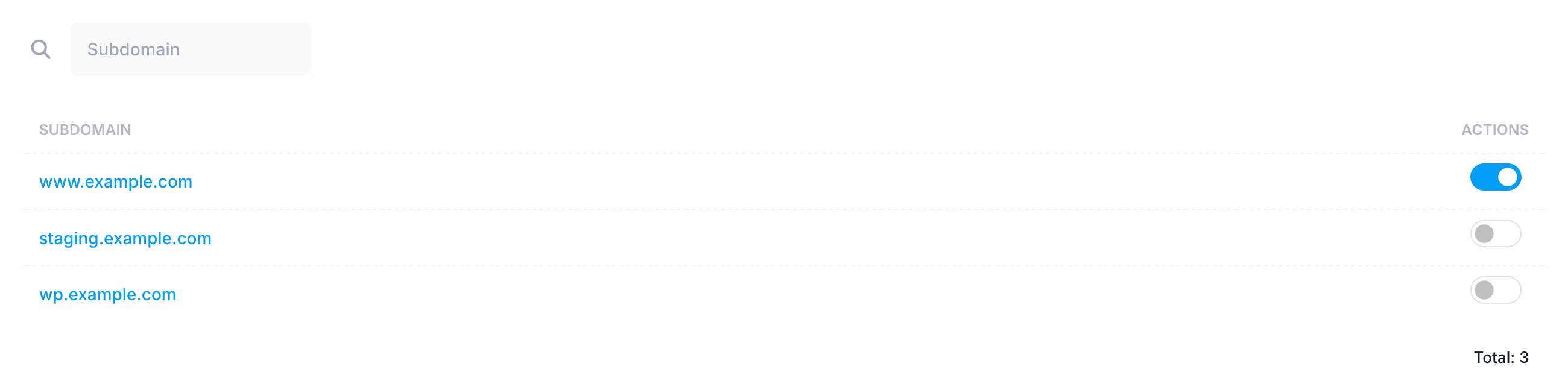
- Use the toggle next to your hostname to forcing of all requests to the website to work over HTTPS.
It is possible for some .htaccess files to interfere with the functionality added by this tool and prevent it from working properly.
Important: The use of this option might not be suitable for all types of scripts and applications. Please carefully test your site if it is working normally after enabling this option. If your script has built-in functionality that forces HTTPS, we suggest that you use it instead.
Forcing HTTPS for WordPress
The solution described above may not be compatible with some WordPress sites, but we have a simple tool that does the same for this platform. For more information, please check our guide on how to force HTTPS for WordPress.
All prices are in USD. No setup fees. Minimum contract period for shared hosting services - 1 month. Full prepayment for the contract period. 15-day money-back guarantee. Automatic renewal is optional. Fees for domain registrations and SSL certificates cannot be refunded in case of an early contract termination.
ICDSoft 2001-2026 © All rights reserved
Terms of Use
|
Legal notice
|
Privacy
|
Reseller terms
|
Cookies